| A TECHTORIAL |
STEP ONE: RECORD SOUND
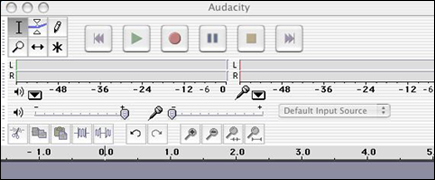
When you open Audacity, the window/pane below will appear. In sound recording software, the color red usually means record and green means play. To record, click the red circle. To stop recording, press the yellow square. To play back your recording, press the green triangle. Easy, huh? Now, record a test -- hum, bark, sing �Happy Birthday�..anything.Next: Simultaneous or consecutive recording?
|