| A TECHTORIAL |
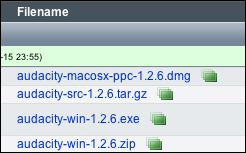
INSTALL AUDACITYAudacity is an �open source� program, but don�t let the term scare you! Installing Audacity takes no time at all. Just

Besides installing Audacity on a classroom computer, you�ll also need a microphone. Most laptops and some desktops now have internal mics, which work fine for basic recording. If yours does not, or if you want better sound or to record large groups of students, you�ll want to pick up a microphone at an electronics or discount retail store. Those can be as cheap as $10 and usually plug in to your computer near where your headphones plug in (the port often is red indicating �record�). Tip: If you can, try to pick up a headphone/microphone combo. Those start around $20. The headphones block out classroom noises that might distract a student as she/he records. Let�s get started! Next: Recording sound.
|