| A TECHTORIAL |
ADD A TITLE
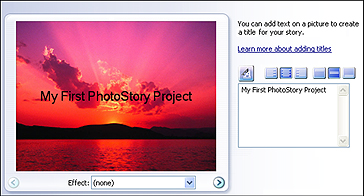
Adding titles to slides couldn�t be simpler: just click Next, click any slide, type the text you want, and watch as PhotoStory3 automatically adds the text to the slide. You also can change the font size and color, and the alignment of the slide titles. Note that dark photos might require light font colors and vice versa. You also can hit Enter before and after lines in your title to tweak its location on an image. Keep in mind, however, that unlike PowerPoint, PhotoStory3 should not be text driven. The images, music, and narration -- not the text -- deliver the information to viewers, so limit titles to your first slide and perhaps a credit slide at the end. Next: What do you say?.
|