| A TECHTORIAL |
ADD IMAGESTo add images to your project, double-click any image you�d like to include. (Hold down the CTRL button to choose multiple images.)
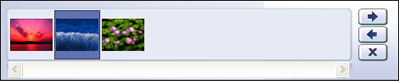
For the purposes of this techtorial, select three images. PhotoStory3 will put those images in what it calls the "filmstrip." Notice that you can drag your images to rearrange their sequence.
If your images are less than perfect, or if you just want to add a special touch to them, click a photo and then click one of the editing tools. Next: Name those slides.
|