|
STEP TWO: PASTING SAVED INFORMATION INTO WORD
To save the selected information:
- Open a new Microsoft Word document and save it to your computer. (Be sure to give the document a name you'll remember: "Black History Month Research Paper," for example.)
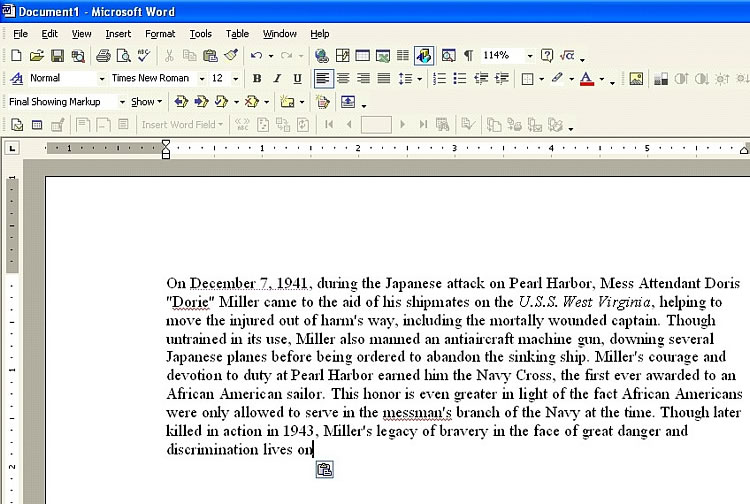
- Click the document and then click Edit>Paste to paste the highlighted paragraph into the Word document.
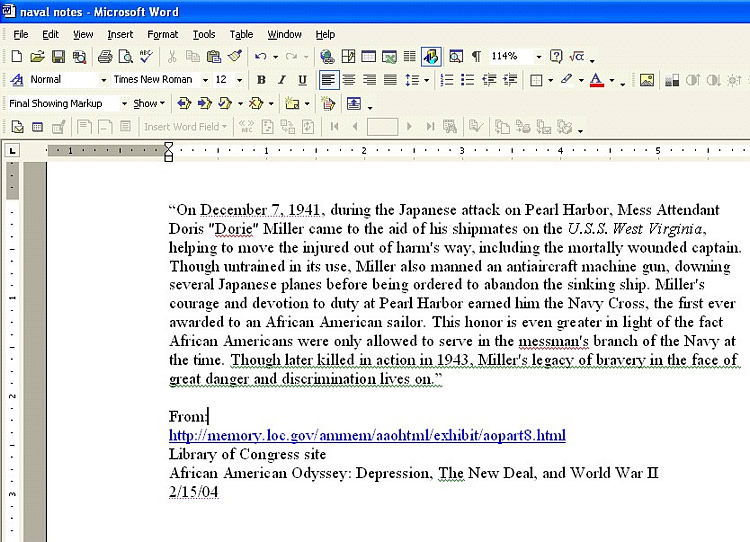
- Cite your source, using whichever style manual you prefer. Or, for a simple citation, you might just include the site's name and URL, the title of the section used, and the date on which you obtained the information. For this paragraph, for example, you might provide the following information:
- A Naval Hero
http://memory.loc.gov/ammem/
aaohtml/exhibit/aopart8.html (Hint: Students are notorious for shortening Web addresses, but if they don't include the entire URL, finding the information later might be difficult.)
- Library of Congress
- African American Odyssey: Depression, The New Deal, and World War II
- Accessed 2/15/04
- Add quotation marks around the paragraph.
For more information about citing online resources, see the Education World article Who Said That? How to Cite Electronic Resources.
Next: Add images!
|

