| A TECHTORIAL |
|
STEP ONE: COPYING INFORMATION FROM THE INTERNET
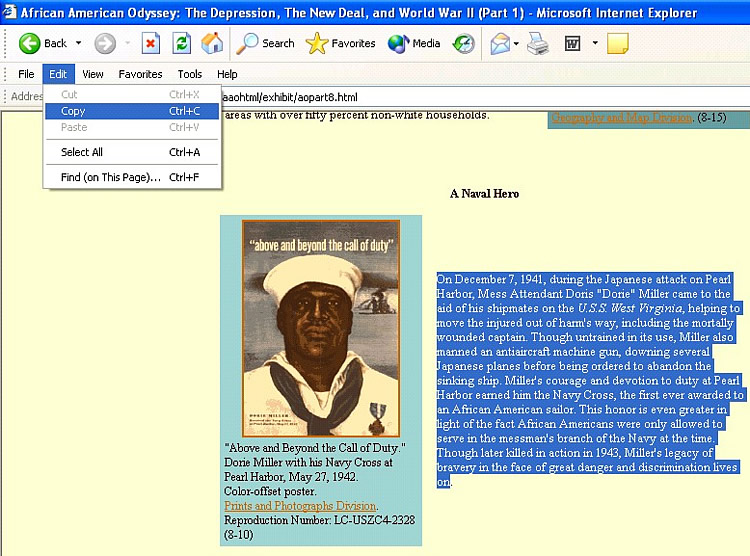
Note: For the purposes of this techtorial, we'll use the Library of Congress's African American Odyssey project, but feel free to choose another site if you prefer. Open Internet Explorer (IE) and go to The Depression, the New Deal, and World War II. Scroll to the section titled "A Naval Hero." Then, to select and save only that section:
Next: Saving information from the Internet.
|