A TECHTORIAL

STEP THREE: RECORD YOUR NARRATION
Many computers have internal microphones. To find out whether yours does, go to Start>Control Panel>Sounds and Audio Devices, and click the Audio tab. If a default device is listed under Sound Recording, you have a microphone already installed on your computer. If no device is listed, you can purchase an inexpensive external microphone at a local electronics store.

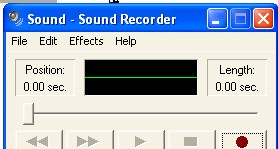
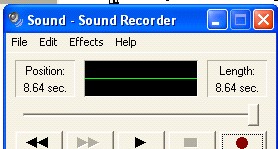
  • Click the red circle at the bottom right of the Sound Recorder.
  • Read aloud (within range of the microphone) one section of the text on Slide 2 of your PowerPoint presentation. (Note: As you record and play back your recording, you'll find out how sensitive your microphone is and how close to it you need to sit.)
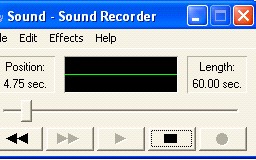
  • Click the black rectangle at the bottom right of the Sound Recorder to stop recording.

  • Click the single triangle at the bottom center of the Sound Recorder to listen to your recording.

Next: If at first you don't succeed...


Close window