| A TECHTORIAL |
|
STEP TWO: OPEN SOUND RECORDER
Minimize your PowerPoint presentation: Click the underscore icon ( _ ) at the top right of the PowerPoint window.
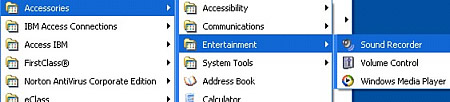
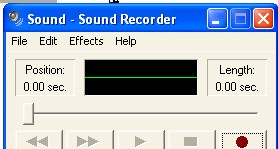
Open the Sound Recorder:
Next: Time to record!
|
|
||||
| Close window | ||||