CREATE THE TILES
You'll be building a set of 28 domino tiles (the U.S. standard).
- Open Microsoft Word
- Click Table > Insert > Table
- For Columns, type "4." For Rows, type "14." For Initial Row Width, type "1."
- Click OK.
- You now should have 56 cells in your table.
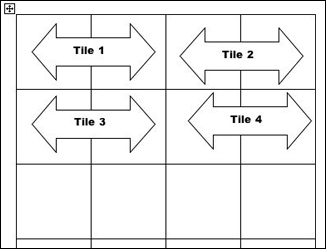
Because each tile has two ends with a separate image on each end, you'll need twice as many cells as tiles (28 x 2 = 56). So, each row contains two tiles, each with two cells.
Next: Creating the tiles, continued.
|

