QUESTION THREE
We're conducting a classroom experiment that has given us a lot of data. I'm now on the second page of data, and I want the headings on the first page to transfer to the second page. How do I do that?
Easy! Look at the sample spreadsheet below.
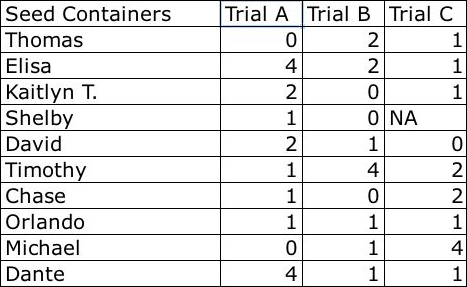
Students' names are in column A, with data to the right. Let's say you also want to be able to see those names when you go to page 2 of the spreadsheet. To do that, click Cell B1 (at the top of the column containing Trial A), and then click Window > Freeze Panes. Now, when you go to the next page, students' names will stay on the left side of the page and you can continue to enter data without having to reenter names.
Next: Printing freeze panes.
|

