SHORTCUTS TO SUCCESS!
Are there sites you or your students visit frequently? Do you
want your students to easily be able to go to a site without typing
a long URL? Do you want to limit your students Internet use to only
a few sites? Make it easy on them and on yourself by creating a
desktop shortcut for each of those sites:
- Go to the Web site you want to create a shortcut to.
- Click File>Send>Shortcut to Desktop.
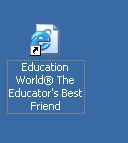
- A new icon should pop up on your desktop. Note the arrow on
the icon below. That tells you the icon is a shortcut to a site
or document.
- If you want to rename the icon, right-click the title beneath
the icon and select Rename.
- You or your students now can double-click the shortcut to get
to that site.
Next: Quick Tips and Tricks!
|

