| A TECHTORIAL |
|
ORDERING SLIDES
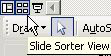
To arrange slides in the slide show in the desired order:
To preview the slide show, click F5 and go to Slide Show > View Slide Show, or click the fifth icon above Draw. Make any necessary changes and then save your work. Next: Lights! Action!
|