| A TECHTORIAL |
|
HYPERLINKING THE DOCUMENTS
A hyperlink is a connection from some point in a computer file, Web site, or e-mail program to some point in another computer file, Web site, or e-mail program. For example, Internet4Classrooms is a hyperlink; clicking Internet4Classrooms connects you to the Internet4Classrooms Web site. In e-portfolios, hyperlinks are used to link files -- text, audio, video, and so on -- to one another. Check out the Education World techtorial Hyperlinks Put Learning into Hyperdrive to review the steps for creating hyperlinks, then return to this techtorial to learn how to use hyperlinks to create student portfolios Provide students with the following instructions for hyperlinking the files in their e-portfolios:
Note: Whenever you hyperlink pages to a main page, it's a good idea to create links from those pages back to the main page as well. So, type "Click Here to Go to the Table of Contents Page" at the bottom of the "About This Portfolio" page and on your work sample and follow the steps above to hyperlink those files back to the Table of Contents page. 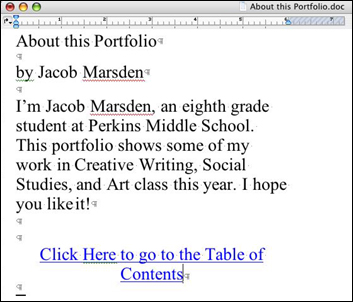 Next: Adding to a portfolio.
|

