A TECHTORIAL

LINK TO AN E-MAIL ADDRESS

To create a hyperlink from a Word document to an e-mail window:
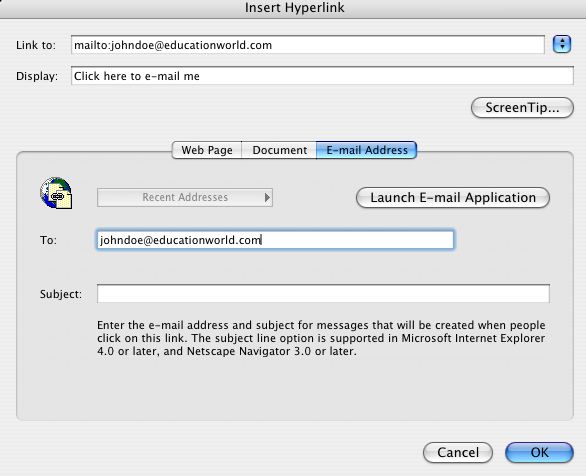
  • In the same Word document, type the phrase "Click here to e-mail me."
  • Highlight the phrase.
  • Click Insert in the menu bar and choose Hyperlink.
  • Make sure "E-mail Address" is selected, and then type your e-mail address in the "to:" blank.
  • Leave the subject blank empty
  • Click OK.

Notice that the phrase "Click here to e-mail me" is now blue and underlined -- a hyperlink. Click the hyperlink to open an e-mail addressed to yourself.

Next: Using hyperlinks in the classroom


Close window