|
|
|
WORD WONDER # 4
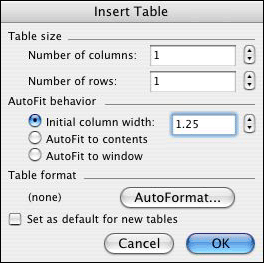
MAKE BOOKMARKSProblem: Facts and basic skills, although important to learn, do not usually hold student interest for long. Solution: Invite students to create fun and informative bookmarks in Word. Classroom Application: Create bookmarks in any K-8 classroom -- especially for such subjects as language arts, social studies, and science. You also can modify the size of the table to make trading cards of famous figures in history, literature, and so on. Directions:
Hint: Bookmarks can be laminated, printed on colored paper, printed in color, printed in black and white and then colored, cut out using pattern-making scissors, or decorated with a hole and string. Next: Change letter case.
|