LET'S TAKE A TOUR!
Take a deep breath�the first page you see when you log in is�well, a little overwhelming for a first timer!
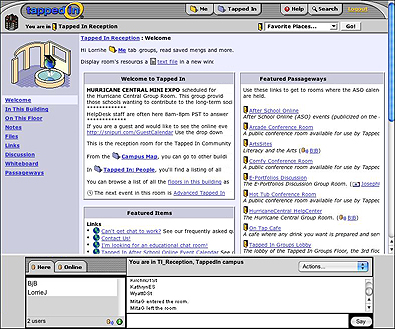
Let's walk through each part of the page and see where we want to go first.
The first thing to note is the phrase "You are in Tapped In Reception" on the top left corner of the page. Because there are lots of pages and groups to see here, to make it a bit easier, Tapped In describes everything as if you were in a building (virtually of course). So, imagine that right now you're in the lobby of that building.
- Click The Tapped In tab at the top right of the page (just to the right of the word "Me").
- Click Calendar toward the left of the page (in lighter blue below).

- You now should see a calendar of events for the current month. Some of these are monthly meetings; others are one-time-only events.
Note that almost all groups and events are scheduled for after school hours (depending on your time zone). It would be almost impossible to participate in an event while in your classroom, even a study hall. You'll want to be at home or in your classroom after students are gone for the day! Also, be sure to check the top left corner of the page to be sure these times are for your time zone.
- Click any upcoming event (such as WebTools below)
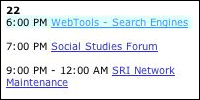
and you'll see a new window with basic information about a group. Check to see if you have to register (for closed groups, such as one for folks finishing a specific graduate class). You're looking for open groups - groups that anyone can join.
- Now that you can see what topics will be discussed this month, let's see what really happens in these discussions.
Next: What's discussed?
|

