| A TECHTORIAL |
BOOKMARKS: LIVE AND OTHERWISE! What are bookmarks? Bookmarks -- called favorites on some Web browsers -- are pages you go to a lot and don't want to have to type in the URLs every time. To add a bookmark in Firefox, simply go to Bookmark > Add Bookmark (CTRL D on a PC or Apple/Command D on a Mac). The bookmark will appear on the sidebar. (Click View>Bookmarks to switch from History to Bookmarks in the sidebar.) Here's good news! When installed, Firefox actually imports your Internet Explorer favorites, so you don't have to go back and create new bookmarks for them. Go to Bookmarks > Imported IE Favorites to find those links! If you're using another browser, see Importing Bookmarks for more help. Click Bookmarks > Bookmark Manager to organize your bookmarks. You can add folders for Web sites on the same
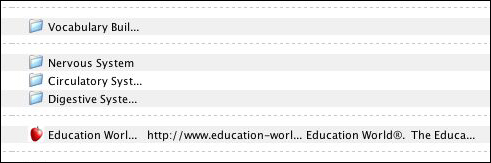
topic, and separators (dotted lines) to help you visually see breaks between folders with similar content. For
example, you might teach an anatomy unit in your class and have folders for each body system (circulatory, digestive...).
You can use the separator (dotted line) to create a visual break between that material and your language arts
folders. An emerging tool on the Web is the RSS feed. RSS -- which stands for really simple syndication -- is a constantly updated stream of information. For example, rather than checking CNN all day long for the latest update on a recent NASA shuttle launch, you could create what's called a "live bookmark" to NASA's Science and Space feed. For help on creating live bookmarks, see Firefox's section on live bookmarks. Next: Learn more.
|