|
Now that you've learned to insert and edit graphics, let's take
it to the next step --drawing on those graphics. Here's how:
- Open the Thanksgiving stationery document you created in Word.
- Click View > Toolbars > Drawing.
- Click the text box icon that looks like a "A."

- Draw a text box on the first line of the stationery and type
a sentence about something you're thankful for.
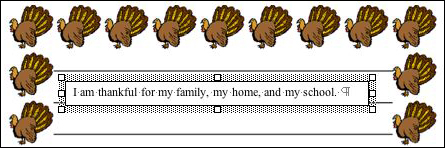
This process doesn't lend itself to creating long paragraphs,
so one or two sentences, or perhaps a poem are best for this kind
of lesson.
- Just for fun, why not try to "write" using the Scribble tool?
Click the Lines icon on the Drawing toolbar, click the Scribble
icon
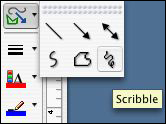
and write with the tool as if you're writing with a pen or pencil.
(You'll need to write in cursive rather than print, because each
time you end a stroke, you release the mouse button and have to
click the Scribble button again.)
Next: Drawing on graphics.
|

