A TECHTORIAL

STEP THREE: SAVING YOUR WORK


The following directions help students save their work as "FirstNameIntro" in a Desktop folder called Student Work. You'll need to create that folder on each student computer or reword the instructions below to indicate where the file should be saved. Be sure students have a consistent place to save files; that improves the chances their work won't be lost.

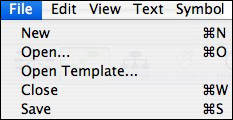
  • Click File and then click Save.


  • Do you see your name? Click in the space after your name and type the word "Intro."
  • Click the word Desktop.
  • Click the words Student Work.
  • Click Save
  • Click Inspiration then click Quit to exit Inspiration.

You then can then go to each student computer and make a note of who has completed the activity. As a follow-up activity, you might teach students how to change the bubble symbol into a piece of clip art or a photo, or how to make a more detailed diagram and convert it to an outline.

Next: Tell me more!


Close window