|
DUPLICATING SLIDES
Find the View Icons at the bottom left of your computer screen.

Click the icon with four 4 squares or windows to open the Slide Sorter View. You will see all the slides you created in the order in which you created them.
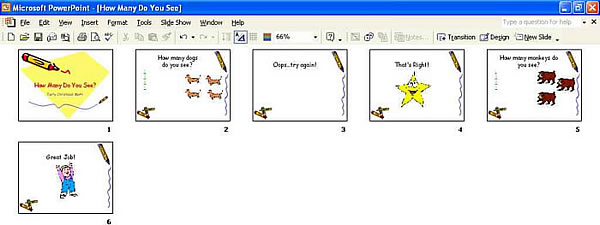
Notice that you created a correct response slide ("That's Right!") and an incorrect response slide ("Oops�try again!") for the first question ("How many dogs do you see?"). You also need to create a correct response slide and an incorrect response slide for the second question ("How many monkeys do you see?"). To do that, you:
- Click Slide 3 ("Oops...try again!").
- Press CTRL and D to duplicate Slide 3.
- Click Slide 4 ("That's Right!") and press CTRL and D to duplicate it.
- Now, you have two "Oops�try again!" slides and two "That's Right!" slides.
- Save your work.
Next: In the right order!
|

