|
MAIL MERGE
To create your customized letters:
- Put your cursor two lines beneath the date in your letter and click.
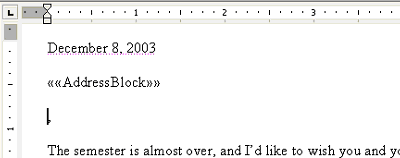
- Click Address block in the Mail Merge pane.
- Click OK. An AddressBlock field will appear in your letter.
- Click the area in the letter where the salutation should be.
- Click Greeting line, and then click OK. A GreetingLine field will appear in your letter.
Your letter can be customized in other ways as well. If you've typed a sentence you want the student's name to appear in:
- Click the area in the letter where you want the name to appear.
- Click More Items in the Mail Merge pane, and then click OK.
- An Insert Merge Field window will appear.
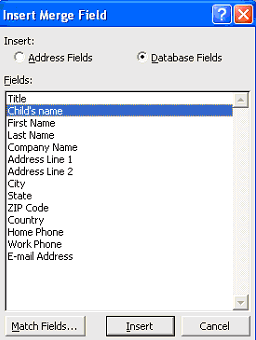
- Click Child's name and Insert.
- Click Close.
Next: Check it out!
|

