| A TECHTORIAL |
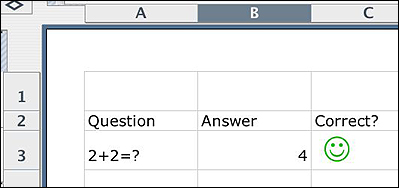
WHAT'S A SELF-CORRECTING WORKSHEET?Let's say your kindergarten class is struggling with simple addition. You'd like to use the computer to help review addition, but your Internet connection is spotty or nonexistent, or you're worried that students will start exploring other sites. You need something fun, simple, and offline! Why not create a simple Excel worksheet that students complete on the computer? If they type the right answer, they get
a happy face. If they type the wrong one, they get a sad face. Creating such worksheets is easier than you might think! Using if/then statements, we'll create a simple worksheet you can use in your K-2 (or 3-12 math, science, or foreign language) classroom.
For this example, we'll use simple addition equations. If you prefer to pick another topic, stick with numbers or words that are rarely misspelled. Anything that's not perfect (a misspelling, an extra blank) will make the answer wrong in Excel. Also, because the logic can be a bit tricky, try to stick with simple math the first time you complete this techtorial. 
Next: If/then statements.
|