|
ORDER TEXT
Now, you'll put the title words in the correct order. First, minimize the Sound Recorder and maximize the PowerPoint slide show. Then:
- Hold down the CTRL key as you click each title text box.
- Double-click the border of any box. A Format Placeholder Window will appear.
- Select the Text Box tab. Check the box next to Resize Autoshape to fit text, uncheck the box next to Word Wrap the Text in Autoshape, and then click OK. Notice that the boxes around each word now are much smaller.
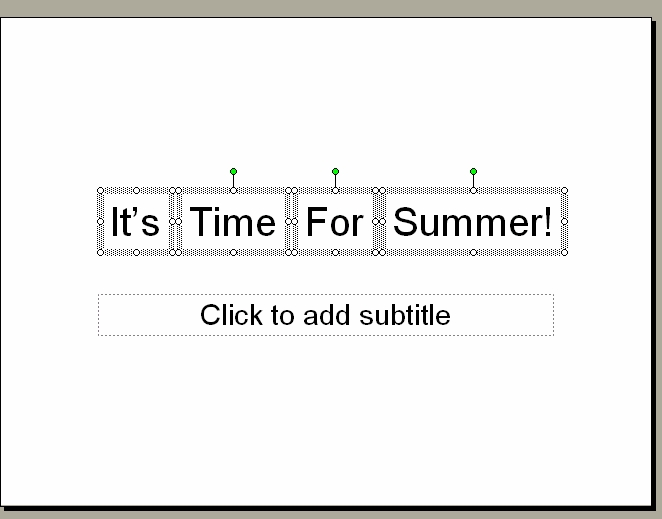
- Click and drag each text box, so the words of the title are lined up from left to right in the correct order.
- Press CTRL and click each box again.
- Click Draw > Align or Distribute > Align Middle.
- Click Draw > Align or Distribute > Distribute Horizontally.
- Save your work.
The text boxes now should be evenly spaced in the middle of the slide.
Next: Sound in!
|

