| A TECHTORIAL |
|
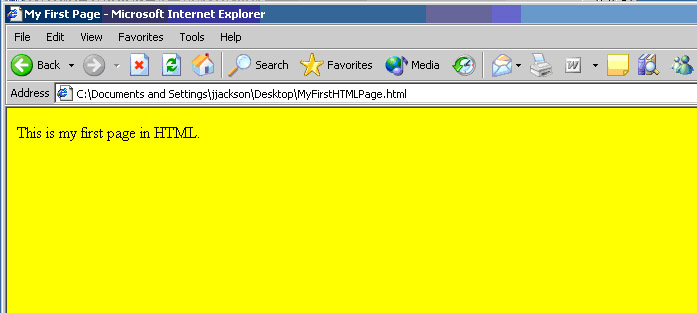
SEE WHAT YOU'VE DONE
Students now can view the page they've created. In Internet Explorer, they
Ta da! Your students have created their first Web page! Note: This page will appear only on students' computers, not on the Web. Uploading a page to the Web requires a host server. Ask your tech staff or administrators for more information on uploading school-based pages. Next: What the symbols mean.
|